Sample report
What a check finds, on a store that looks fine
Fernwood is a furniture store we made up for demos. We set it up with problems we found on real stores this week, then ran the free checker on it, the same way it runs on yours. Everything below is what the check reported.
Reached the checkout
5 steps, 3 clicks to the checkout · checked in 2 min
The product is in the order summary
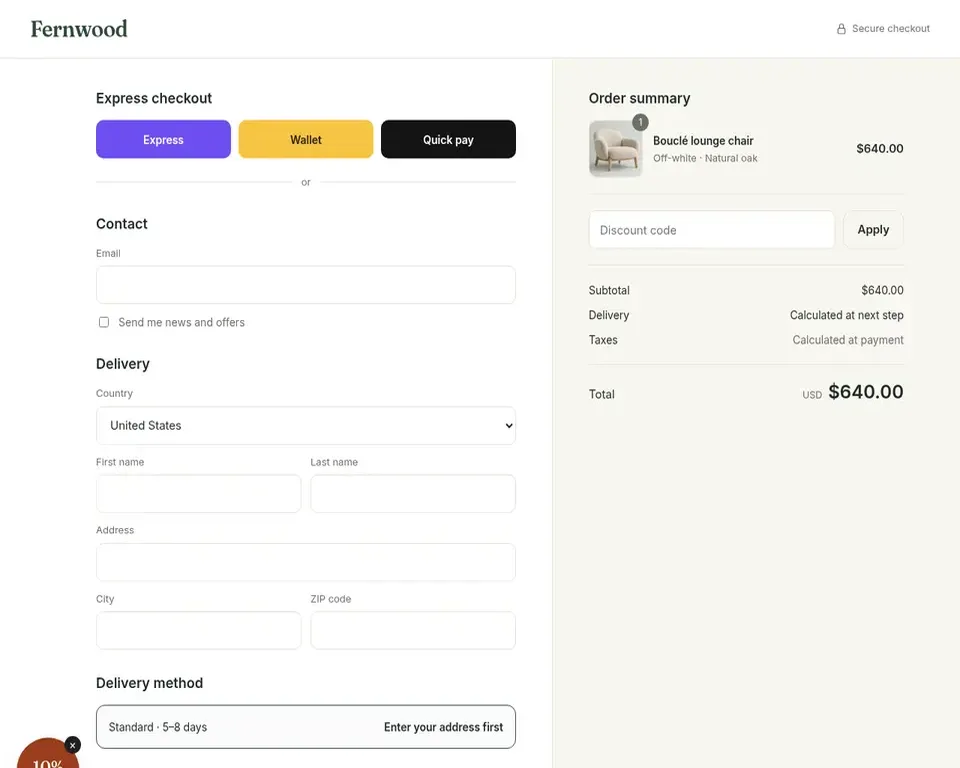
The order summary lists the Bouclé lounge chair with quantity 1.
The same product and option all the way
It shows the same chair, Off-white with Natural oak, with the same picture on the product page, in the cart and at the checkout.
Same price on the product page and at the checkout
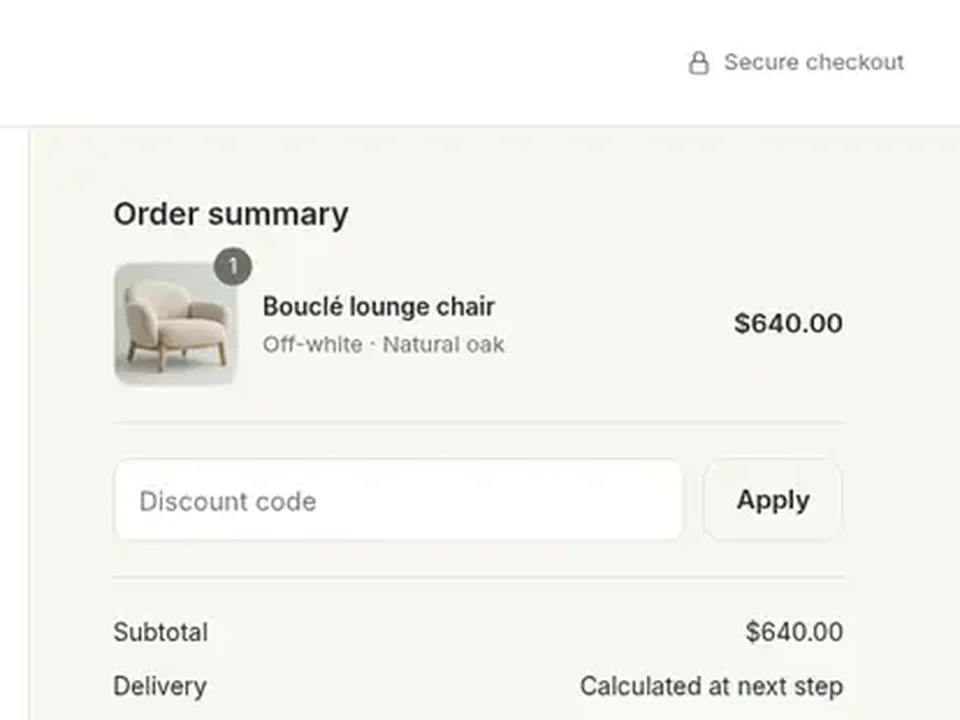
The product page and cart show $576.00, but the checkout order summary shows $640.00.
The checkout shows ways to pay
Three express buttons are visible, labelled Express, Wallet and Quick pay; no card fields are visible on this screen.
Shoppers can buy without an account
The checkout asks for an email and delivery address with no login or account needed.
1 check failed and 2 things are worth a look. Open to AI shoppers: our AI shopper reached the checkout on its own.
What it noticed
The ones that matter most first, each on the page where the shopper saw it. They're leads to look into, not a fix list: you know your store and your shoppers better.
Likely costs sales
Chair costs $640.00 at checkout, not $576.00
The product page and the cart show $576.00 (the Autumn sale price). The order summary at the checkout lists the same chair at $640.00, which is the old crossed-out price.
What to look into
Check whether the sale price is applied only on the product page and cart and not carried through to the checkout. It could come from how the sale or discount is set up, or from an app that changes prices. Place a test order to see what a shopper would actually be charged.
Worth a look
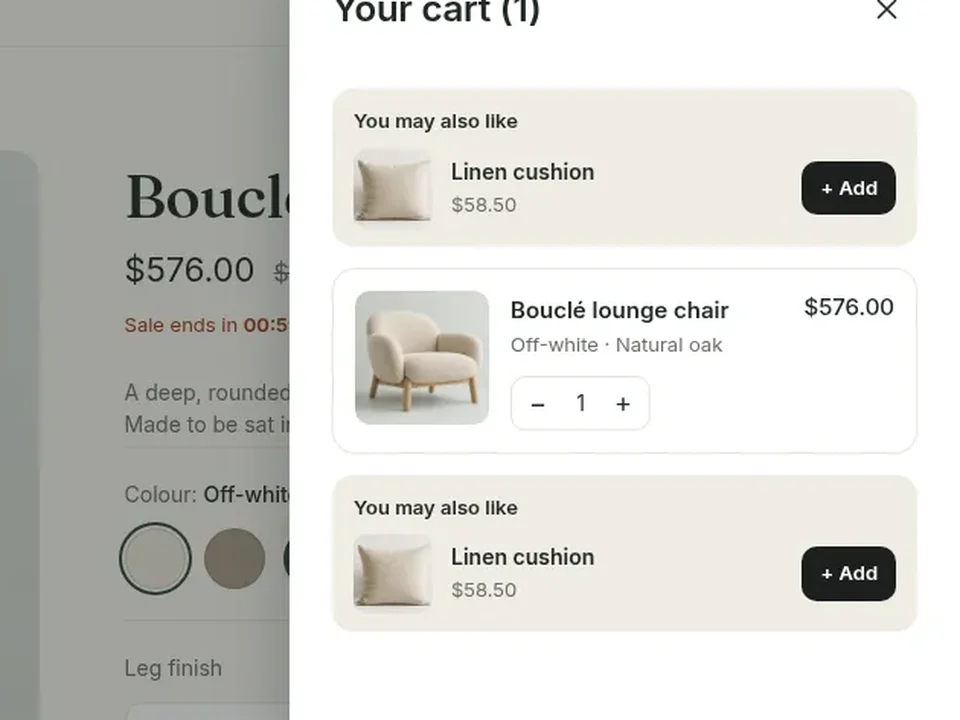
Same 'Linen cushion' offer shown twice in cart
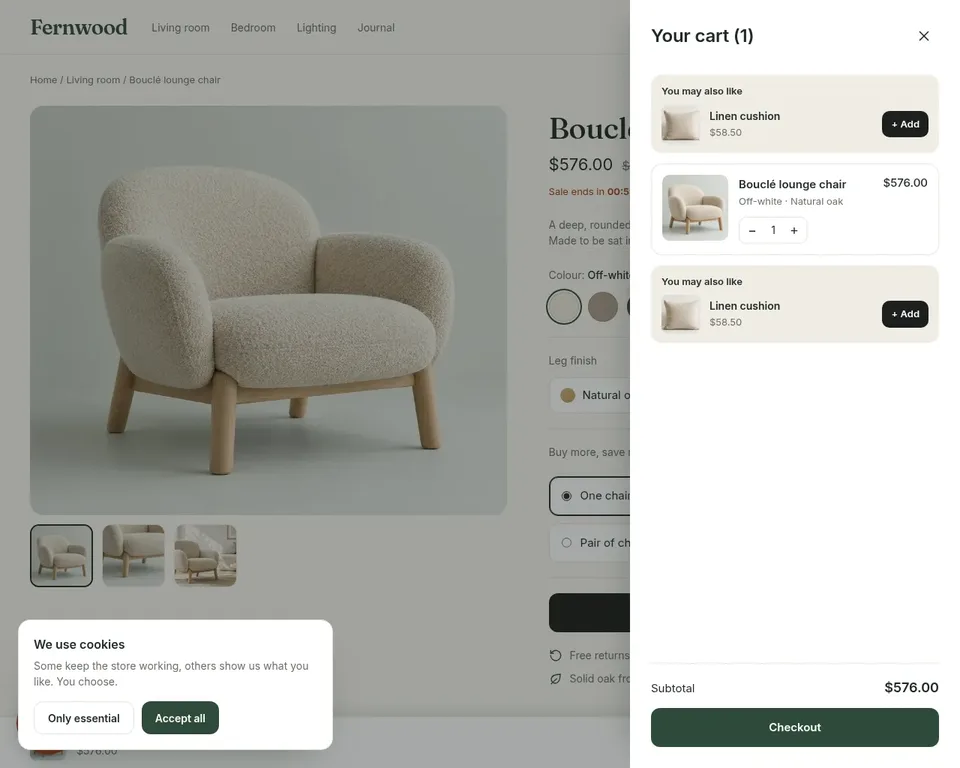
The cart shows a 'You may also like' Linen cushion block ($58.50, '+ Add') above the chair and the identical block again below it. They crowd the cart and push the item down.
What to look into
Look at whether two cart add-on or recommendation blocks are switched on at once, for example one from the theme and one from an app. Keep one, or test showing it only below the item.
Smaller things
MinorCookie notice sits over the bottom bar
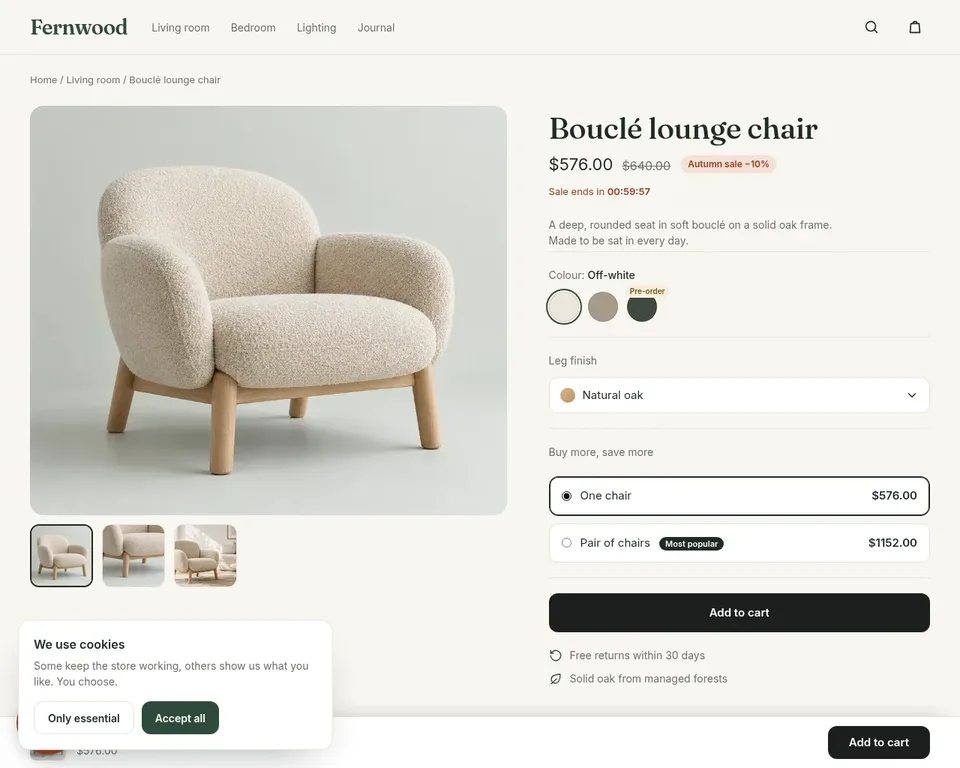
The 'We use cookies' box covers the left side of the bottom bar on the product page. It hides the product name there, and a small orange round shape behind it at the left edge is cut off. The bar's Add to cart button on the right is still clear.
What to look into: The cookie notice is a legal need, so keep it. Check that it sits where it covers nothing, for example in a corner away from the bottom bar and the round button behind it.
MinorSale countdown on the product page
'Sale ends in 00:59:57' is shown in red under the price. The checkout later shows the full price, so the countdown and the final price do not match.
What to look into: Countdown timers are a common choice and worth testing rather than removing. Check that the timer and the sale price are tied to the real price shoppers pay at the checkout.
MinorPart of a '10%' badge sits in checkout corner
A round brown badge reading '10%' with a small close mark is cut off at the bottom-left of the checkout page. Only part of it can be read.
What to look into: Check whether a discount badge or popup from an app is loading on the checkout. If it is meant to be there, make sure it shows fully and covers no form fields on smaller screens.
MinorExpress buttons have unclear names
The checkout offers three coloured buttons named 'Express', 'Wallet' and 'Quick pay'. They do not say which payment services they are, such as PayPal or Apple Pay.
What to look into: Check how these buttons are named in the checkout or payment settings. Shoppers trust payment buttons they recognise by name or logo.
A popup on the way
- Newsletter or discount popup, closed with "No thanks"
A popup on its own is common; it's only a note when it gets in the way.
Browser errors
None logged by the pages on the way.
First answer
The start page answered in 0.5 s, from the US east coast.
Every step, as the shopper saw it
Our AI shopper worked out the way from the store's own pages: no script, no setup. Keep the check and it walks the same steps every morning.
1 Select the 'One chair' option instead of the preselected pair bundle
2 Click the main 'Add to cart' button
3 Click the 'Checkout' button in the cart drawer
4 Verify the checkout page opened
5 Verify the order summary lists the Bouclé lounge chair
Before step 2
Before step 3
At the checkout
See what it finds on your store.
Free, about three minutes, no account. You get the same report: whether a shopper can reach your checkout, and what's worth a look on the way.
Check my checkout